
CMMS issue tracking: every request in one queue
Anyone scans an asset's QR code and reports with a photo and no account, and it lands on your issues board.
- Free plan, no card.

QR codes anyone can scan, with no account
Put one on equipment or in a room. The form asks for a description, photos, a name, and an email.
Who creates work orders when operators call maintenance
Triage every report on one board
Move each report by status into a work order. People who only report never count as users, and when you pay by assets, everyone who works the board gets a login.
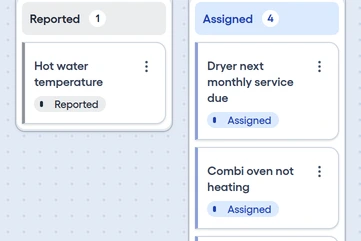
Kanban by status
Drag each card through Reported, Under Review, Assigned, and Closed, and filter by location, status, or reporter.
Duplicate reports
Mark duplicates, and see a warning when an issue is already on another work order.
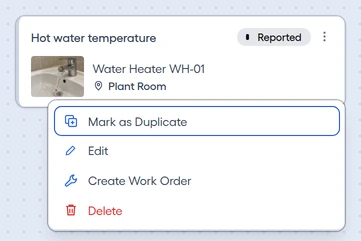
A work order from the menu
Choose Create Work Order on the card, and the asset and issue are already filled in.


Choose who reports, and what technicians see
Limit reporting to your own email domains, and each report reaches the technician with its photos.
Email domains
List your email domains, and only people at them can report.
QR labels
Each label carries the asset's name and location.
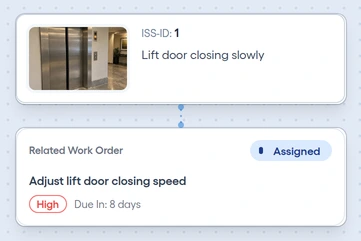
Linked issues
Technicians see the description, photos, and reporter on the work order's Issues tab.