
CMMS integration by spreadsheet, each row checked first
Import your assets and procedures from CSV or Excel, and each flagged row names what's wrong. Or send us the file, and our support team loads it free.
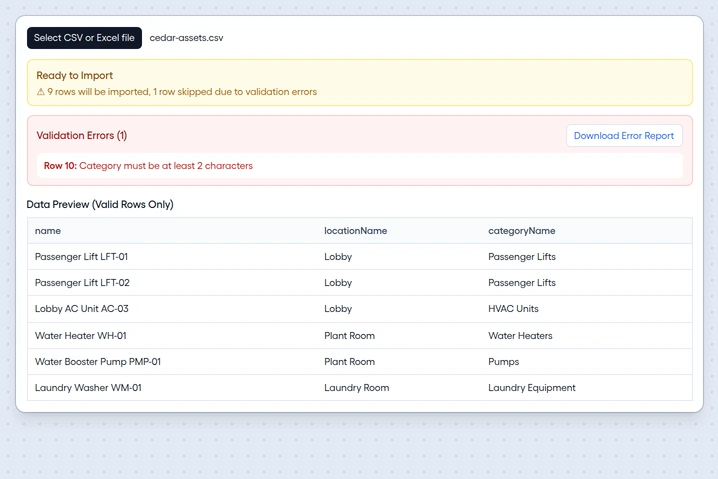
An asset import with a flagged row Step 2
Report issues by QR code
Put a QR code on an asset or a location, and anyone who scans it can report without an account.
List your email domains, and only people at them can report.
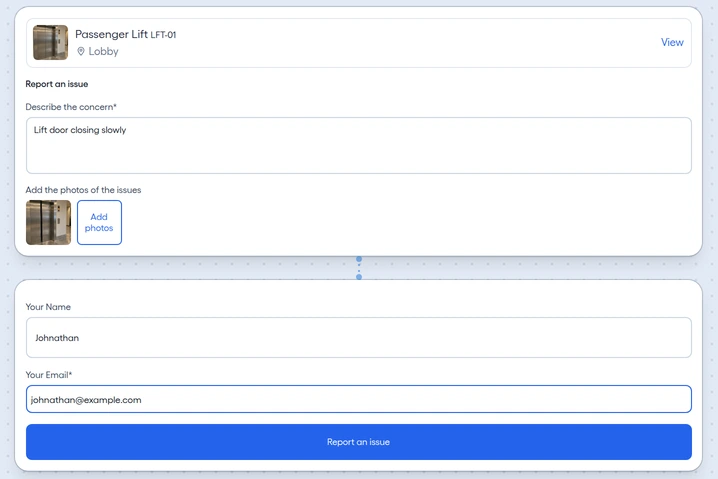
The report form a QR code opens


How work gets out of FixAhead
Your records leave as Excel files, printed work orders, and report links that someone outside your account can sign.
 See the reports
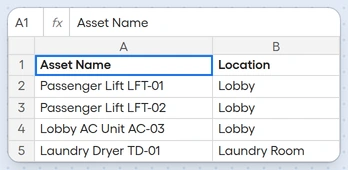
List export
Export every list from FixAhead to Excel.
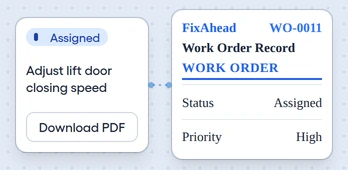 See a work order
Printing
Print work orders from FixAhead.
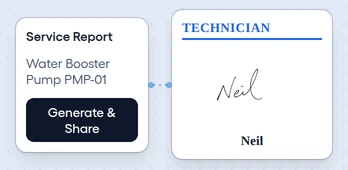 See Service Reports
Shared report links
Share a work-order report by link, and someone outside your account can sign it.
Google sign-in and email notifications
Sign up with Google or email, with no phone number to give.
Sign in with Google
Use the Google account you already have.
Email notifications
Your team gets work order updates by email.