
CMMS app that works offline on Android
Technicians open assigned work orders, follow the checklist, and add photos at the job. With no signal, the work syncs once the connection's back.
- Free plan, no card.

Each technician's own work, by status
Each technician installs it from Google Play and sees their work orders by status. When you pay by assets, every technician gets a login.

From the checklist to the finished job
The technician closes the whole job on the phone, from the first task to the last photo.
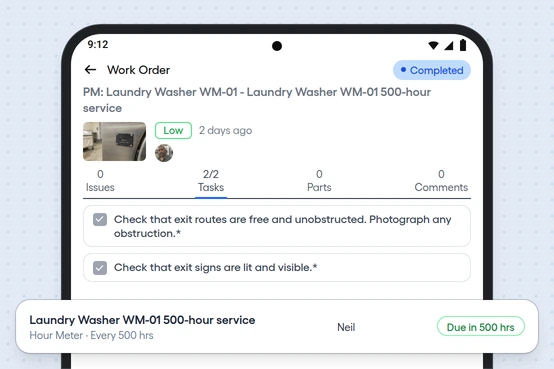
Checklists
Required tasks are marked, and you see how many are done out of the total.
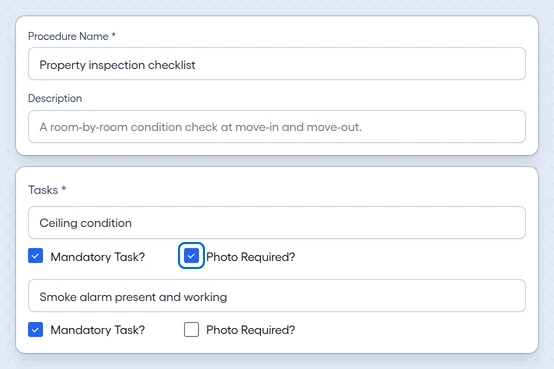
Photos on a task
Add several from the camera or gallery. A task can require one before it counts as done.
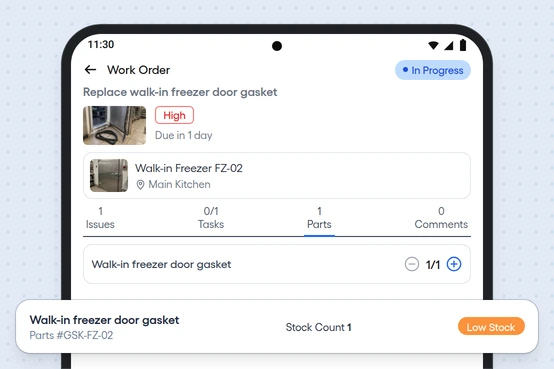
Parts used
Record the parts used, up to the quantity reserved. Stock updates when the work order is marked complete.
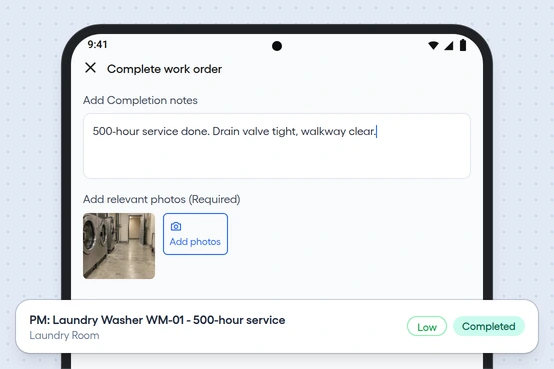
Mark complete
Add notes and at least one photo, and the work order moves to Completed right away.


Keep the talk on the work order
Comments on the work order, with who and when, take the place of calls and texts about the job.
Push notifications
Technicians get one the moment a work order is assigned.
Comments
Post on the work order, and your team sees each one with who and when.
Everyone on the job
See the main technician and any others assigned.
Asset and due date
Each work order shows its asset, location, priority, and due date.