
CMMS work orders, from request to completion
An issue reported by QR code becomes a work order, and your technician completes it on Android at the job.
- Free plan, no card.

Create a work order in a guided wizard
Pick the asset, the due date, the priority, and the technician. Switch on High Priority for urgent work, or flag the work order as a breakdown.
Print or download a free work order template
Service Reports to sign and share
Choose sign-off by the technician, the manager, or both, in English, Arabic, Spanish, French, or German.

Know where every work order stands
You see who has each one without a phone call.
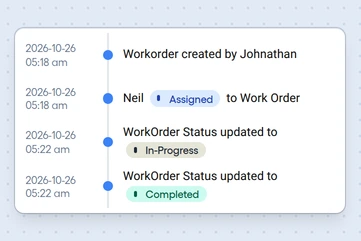
Every status change
The timeline shows who created the work order and each status change, with its date and time.
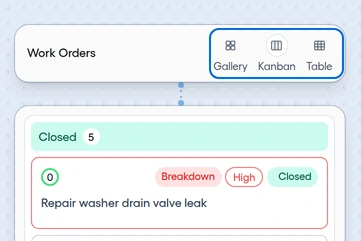
Kanban, gallery, and table views
The Kanban board gives each status its own column.
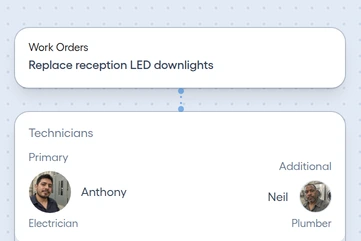
More than one technician
Assign a primary technician and others, with technicians suggested by skill and availability.


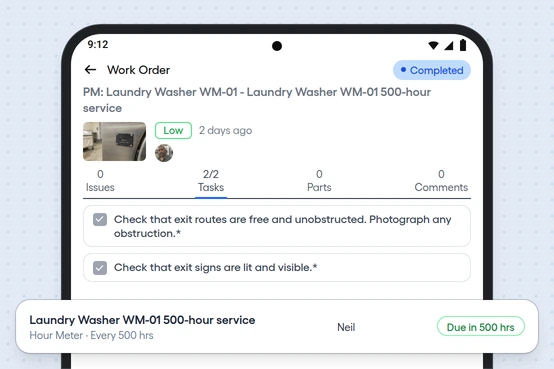
Technicians work offline on Android
Everything the job needs is on the phone, and work done with no signal, photos included, syncs once the connection is back.
Checklists with photos
Attach a procedure, and require a photo for any task.
Parts on the job
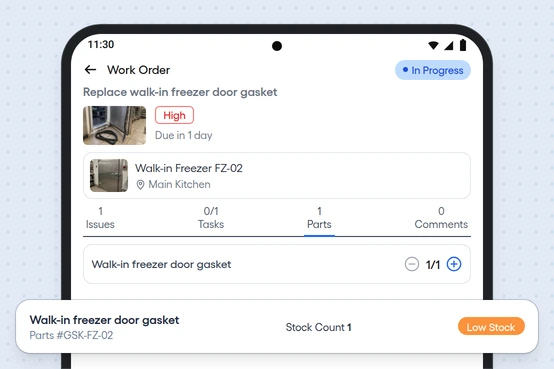
Plan the parts for each work order, and the technician sees them on the phone.


Keep each job's time, parts cost, and PDF
Each closed job stays on file with what it took and what it cost.
A PDF of each work order
Download it for your files, or for anyone who asks.
Time spent
See how long each work order took.
Parts cost
See what each work order spent on parts.