
Hospital CMMS software ready for the surveyor
Open the device a surveyor picks and show its PM and repair history, with photos, timestamps, and a signed report.
- Free plan, no card. Or book a demo.

Every device's PM, before it falls due
Each device's schedule makes its own PM work order, so no PM waits on a spreadsheet or someone's memory.
- Each device on its own interval, monthly to yearly
- Its work order early, by the lead time you choose
- The PMs due in the next 90 or 365 days in one forecast
- Every device of one type on one schedule by its tag
- An alert with escalation for each overdue PM

See PM completion for each device
The PM compliance report lists each device's scheduled, completed, and overdue work. A custom field marks high-risk or AEM status.

Let nurses report without calling engineering
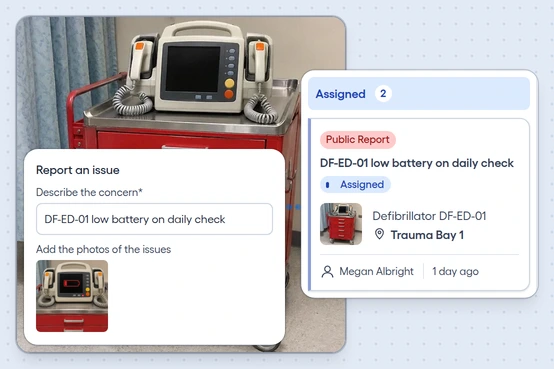
A nurse or unit staff member scans the device or room's QR code and sends the issue with no account. When you pay by assets, all your biomedical and plant technicians get logins.
The device and its photo
The report arrives with its asset or location, description, and photos already attached.
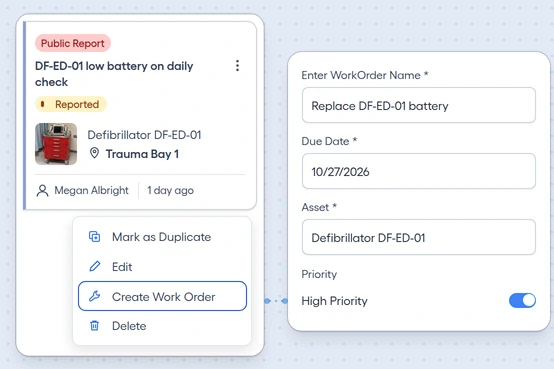
From request to work order
Review the issue on one board and create its work order from the card's menu.
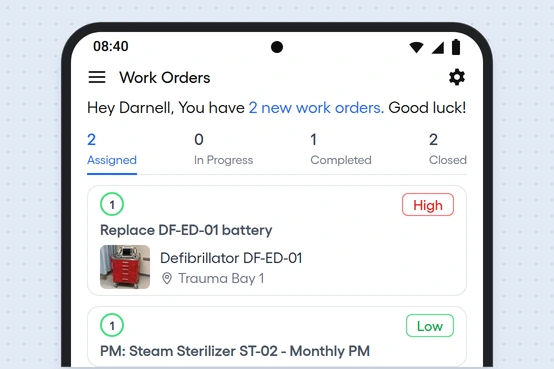
Each technician's own work
Biomedical and plant technicians see their assigned work orders on Android, organized by status.
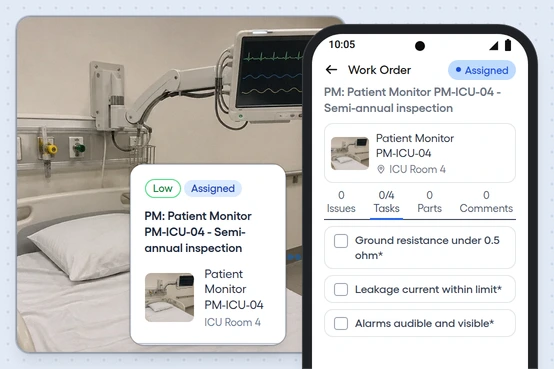
No signal at the point of care
Assigned work still opens on Android, and the record syncs when the connection returns.


Keep the survey evidence together
Attach PDF manuals, warranties, and calibration certificates to the device, each document with its own expiry date.
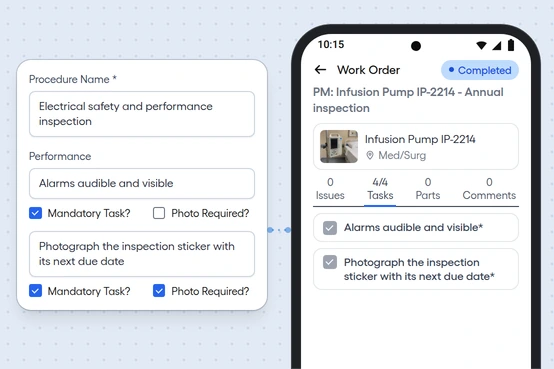
Procedures with photo proof
Require checklist tasks and a photo on any step, and on Android it can't count as done without them.
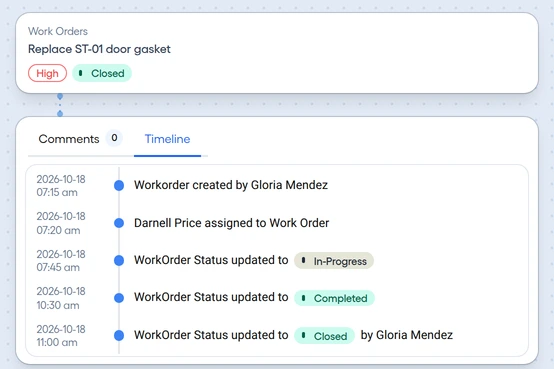
A timeline on each work order
See who created the work and every status change, with its date and time.
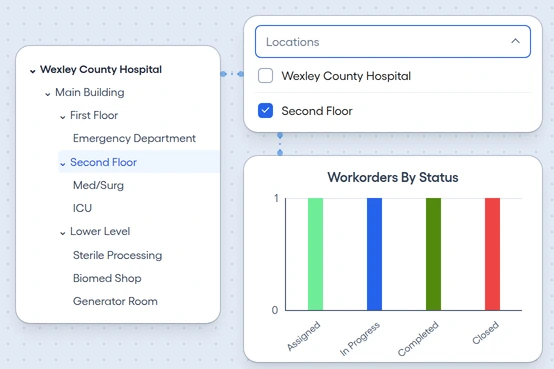
Departments in a location tree
Set building, department, floor, and room, then filter the dashboard to one room.
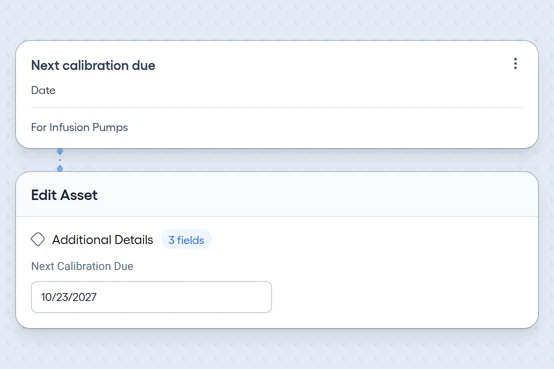
Dates and documents by category
Add FDA classification, calibration date, next inspection due, and compliance standard as fields for each category.


How a 48-bed hospital would run it
Say you run facilities and biomed for a 48-bed rural acute-care hospital in one main building, with a biomed shop of two and a plant team of two. Each device sits in its department and room, from the ED's trauma bay to ICU Room 4 and Sterile Processing.
- Breakdowns by cause. Code the sterilizer's failed door seal as Seal failure and the infusion pump's false alarms as Sensor fault, and see repeat faults in Breakdown Analysis.
- Critical spares on the shelf. Flag the sterilizer door gasket and the defibrillator battery as critical, and plan one on the work order that needs it.
- A report to hand over. Share a closed work order's signed report by link.

Free maintenance templates
Checklists and forms for your trade's equipment, each ready to download and use.
- Open the template
Annual maintenance schedule
Recurring maintenance for common building equipment, by frequency and month.
- Open the template
Asset register
The equipment and assets a site holds, with each one's location, category, custodian and tags.
- Open the template
Cleaning checklist
Routine cleaning of a building's common areas, from each workday to once a year, by area.
- Open the template
Elevator checklist
An owner's checklist for the emergency communication test and the fire-service test, with the records to keep. Local rules govern the rest.
- Open the template
Work order form
One work order from request to completion, with time, parts and any charge to the occupant.